
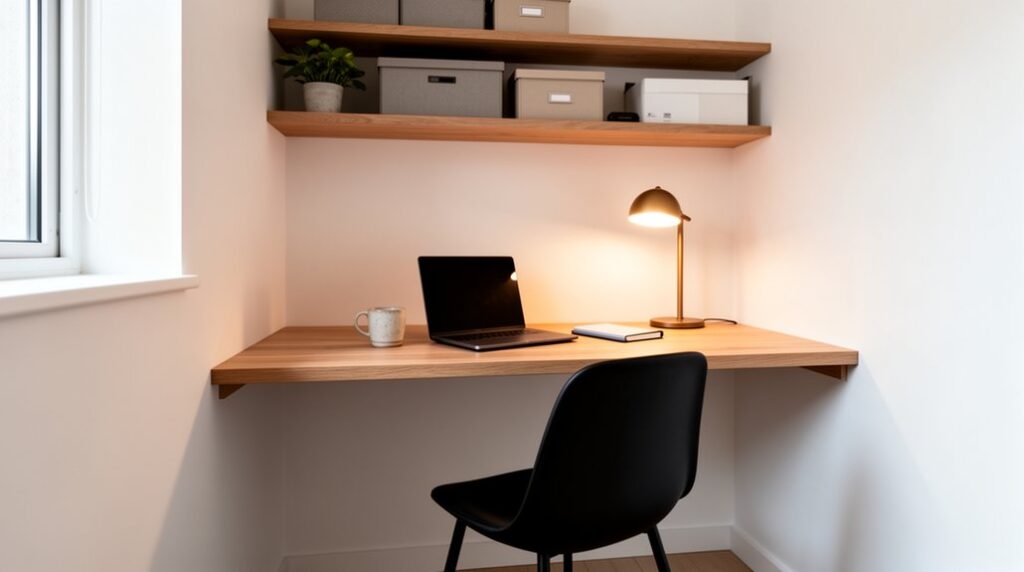
Measure both walls, baseboards, outlets, and usable height, then tape the footprint and check door, drawer, and walking clearance. Choose a compact desk or a wall-mounted top for a lighter look, and pick an L-shape for zones or a curved edge for softer sightlines. Dial in ergonomics: elbows at 90°, monitor at eye level, keyboard close. Build upward with slim shelves, hidden cords, and focused task lighting plus soft ambient glow. Keep decor to 2–3 accents for calm—more refinements are ahead.
Measure Your Corner and Map the Traffic Path
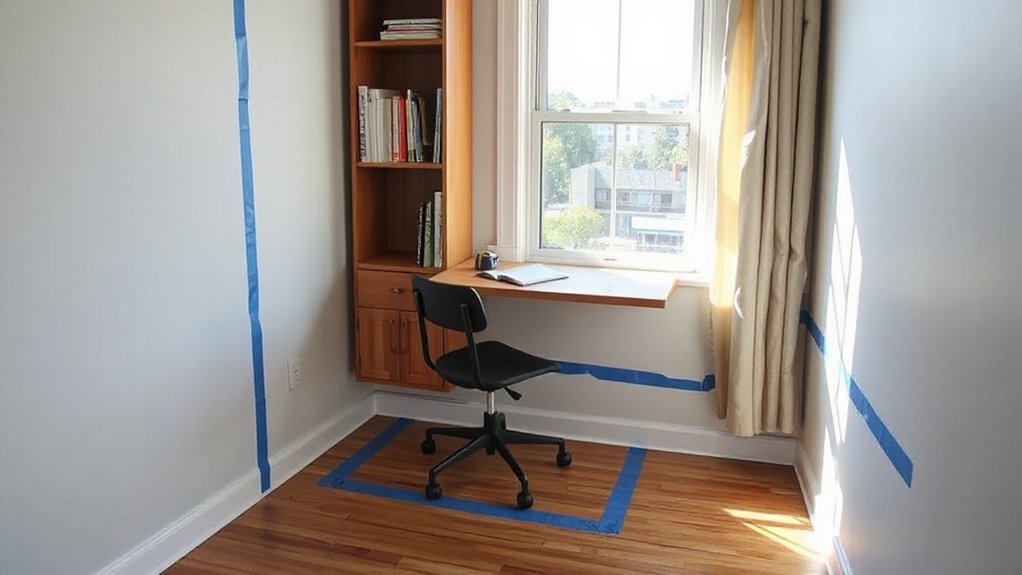
Before you buy a desk or hang a shelf, measure the corner as it actually lives: width on both walls, baseboard depth, outlet locations, and the tallest usable height under any windowsill or molding. Mark these on painter’s tape so you see the footprint at a glance.
Next, map the traffic path: open doors, drawer swings, and your natural walk line from entry to seating. Leave a clear aisle so you don’t clip elbows or snag cords.
Note glare angles from windows and overhead lights; shift your centerline to avoid screen reflections.
Once dimensions feel settled, pick Color schemes that visually widen the nook—light walls, darker verticals, or one calm accent.
Finish with decor accents that stay slim: a narrow pinboard, a small plant, one framed print.
Choose Your Corner Setup: Desk vs Wall-Mounted
Once you’ve taped out the footprint and traffic lane, choose a setup that matches how permanent you want the nook to feel.
A freestanding desk reads like furniture, so it anchors the corner and gives you instant decor organization with drawers, trays, and a tidy cable path behind the legs. It’s also easier to reposition if you restyle the room.
A wall-mounted surface feels lighter and more architectural. You’ll float the work zone, keep the floor visually open, and simplify cleaning.
Pair it with a slim shelf above for vertical decor organization, then commit to lighting enhancement: a hardwired sconce, a plug-in swing arm, or an under-shelf LED strip that washes the wall.
Choose the option that keeps your corner calm, balanced, and intentional.
Pick the Right Corner Desk Size and Shape
Start by measuring the corner’s usable width and depth—baseboards, outlets, and trim included—so the desk fits cleanly without crowding the room.
Choose an L-shape when you want crisp edges and maximum surface area, or a curved top when you need a softer line and easier pass-through.
Leave enough space for your chair to slide in, swivel, and pull back comfortably, plus a clear walking path around the setup.
Measure Available Corner Space
If you measure your corner with intention, you’ll land on a desk that fits like built-in furniture instead of an awkward afterthought. Start by clearing the corner to expose baseboards, outlets, and trim; they affect how tight corner furniture can sit.
With a tape measure, capture both wall runs from the vertex outward, plus the depth you can project without pinching walkways. Mark the footprint on the floor with painter’s tape so you can judge proportion at a glance.
Check door swings, radiator clearance, window drape movement, and any vent paths. Measure height limits too: sills, shelves, or art lines you don’t want blocked.
Finally, note cable reach and outlet placement; good space planning keeps cords invisible and your desktop visually calm.
Choose L-Shape Or Curved
Although both shapes can maximize a dead corner, the right desk profile depends on how you move through the room and what you need within arm’s reach. Choose an L-shape when you want defined zones: one wing for monitor and keyboard, the other for writing, a printer, or a docking station. It reads crisp and architectural, boosting corner aesthetics with clean lines and symmetrical edges.
Pick a curved desk when you want softer flow and a smaller visual footprint; the arc keeps sightlines open and feels lighter in tight layouts. Match depth to your essentials: deeper for dual screens, shallower for a laptop setup.
Finish matters—echo nearby wood tones or metal accents to maintain design harmony and make the corner feel intentional.
Allow Chair And Clearance
Once you’ve landed on an L-shape or a curve, size it around how you’ll actually sit and move. Pull your chair back fully and measure that sweep; you want enough depth behind you to stand without scraping walls or shelves. Leave clear access to drawers, cabinet doors, and outlets so cords don’t kink and your knees don’t knock.
Aim for a chair path that stays open even when you swivel, especially in tight corners.
Keep the desk edge aligned with baseboards for a clean line, then balance it with slim storage that doesn’t crowd your legs. Your Office decor should feel intentional, not jammed in.
Match Color schemes to the room so the clearance reads airy, calm, and built-in.
Set Ergonomics for Comfort in a Small Corner
Because a corner desk tightens every inch, you’ll feel the difference when you set ergonomics first: center your chair to the work surface, keep elbows near a 90° bend, and let your feet rest flat (use a slim footrest if they don’t).
Slide your hips back, support your lower spine, and choose chair comfort over looks—then let the lines still read clean.
Dial in desk height so your forearms float level and your shoulders stay down; raise the seat before you stack cushions.
Place your monitor straight ahead, an arm’s length away, with the top edge at eye level to avoid neck tilt.
Keep the keyboard close, wrists neutral, and use a compact mousepad to prevent reach.
Add Vertical Storage Without Crowding the Surface
Keep your desktop clean by pushing storage upward, so the corner stays airy and visually balanced. You can mount slim wall shelves for books and decor, add a floating cabinet above the desk for closed, streamlined storage, and align the edges to your desk for a built-in look.
For everyday tools, you’ll get fast access with a pegboard or rail system, arranged in tight rows that read tidy, not busy.
Wall-Mounted Shelving Options
Where can you stash essentials when your corner desk can’t spare an extra inch? Choose wall mounted storage that lifts supplies into your sightline while keeping the worktop clean.
Install two slim shelves stacked above your monitor zone, leaving 18–24 inches of breathing room so the corner still feels open. Pick 6–8-inch depths for notebooks, trays, and a small planter without casting heavy shadows.
For tight Corner organization, use L-shaped corner shelves to wrap both walls and capture dead space. Add a rail shelf with hooks for headphones and scissors, and a mini ledge for pens.
Match brackets to hardware finishes, and keep items grouped in identical bins. You’ll gain function, order, and visual calm.
Floating Cabinets Above Desk
Even if your corner desk feels maxed out, floating cabinets above it add serious storage while keeping the surface visually quiet. Mount them 16–20 inches above your worktop so your monitor and task lighting stay unobstructed. Choose flat-front doors for a clean line, or a slim frame-front if you want subtle texture without visual noise.
Keep depth tight—10 to 12 inches prevents a boxed-in feel and protects headroom. Match cabinet finish to your desk or trim for cohesion, then add a single open bay or short wall-mounted shelves beside the cabinets for frequently used notebooks.
Use soft-close hinges, align doors precisely, and run a concealed cord channel behind the back panel to hide chargers. Label interiors, not exteriors, for calm.
Pegboards And Rail Systems
If you want vertical storage without turning your desktop into a drop zone, pegboards and rail systems let you park tools, supplies, and small accessories exactly where your hands reach them. Mount them on the side wall of your corner desk zone, aligned to your monitor height, so the layout looks intentional.
Use Pegboard customization to keep it streamlined: match the board color to your wall, repeat the same hook finish, and group items by task—writing, charging, cutting. Add small shelves for a notebook stack, a shallow tray for clips, and a cup for pens.
With Rail accessory options, you can slide in baskets, hang headphones, or add a mini ledge for your phone. Keep negative space so the wall stays calm.
Place Task Lighting and Power Where You Work
Because good lighting and easy access to outlets shape how polished and usable your setup feels, place task lighting and power exactly where your hands and eyes spend the most time. Mount a slim LED bar under a shelf, or clamp an adjustable arm lamp to the desk edge so the beam lands on your keyboard and notes without glare.
Balance it with soft ambient lighting behind the monitor or along the wall to reduce harsh contrast.
Route cords along the pegboard frame or rail channel, then down a single spine to keep lines clean. Add a low-profile power strip under the desktop, and position power outlets within reach of your charging zone, not behind furniture.
Use cable clips and a short extension to eliminate slack and visual noise. Keep switches accessible for quick changes.
Finish With Simple Styling That Boosts Focus
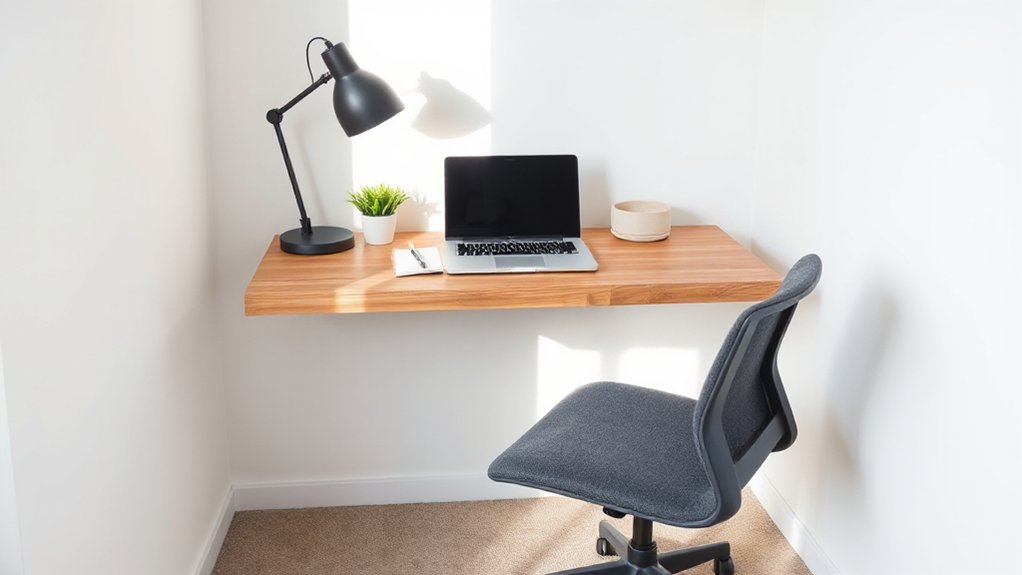
With lighting dialed in and cords tucked away, finish the corner with styling that keeps your mind clear and your workspace looking intentional. Limit decorative accents to two or three: a small plant, a matte tray for pens, and one framed print.
Choose tight color schemes—two neutrals plus one muted accent—so your eye rests instead of scanning clutter. Match finishes, too: black hardware with black frames, or warm brass with oak tones.
Add one vertical element, like a slim peg rail or file stand, to lift essentials off the desktop. Keep the surface 70% open for writing and a laptop.
Finally, place a shallow catchall by the edge so receipts and cables don’t drift back in.
Frequently Asked Questions
How Do I Soundproof a Corner Workspace in a Shared Room?
To soundproof your corner workspace, you’ll seal gaps with weatherstrips, add thick rugs, mount acoustic panels at ear height, and hang soundproof curtains around the desk. You’ll angle furniture to block chatter.
What Are Budget-Friendly Ways to Hide Clutter When Guests Visit?
Use storage solutions like lidded baskets, stackable bins, and under-desk drawers, then tuck cords behind adhesive clips. Add decorative screens or a curtain to mask shelves. Corral daily items in a stylish tray.
Which Paint Colors Best Separate a Workspace From the Rest of the Room?
Sure, paint it “invisible”: deep navy, charcoal, or forest green. Use Color psychology—cool hues sharpen focus, warm terracotta energizes. Create crisp accent walls behind the desk; pair with soft off-white nearby, too.
How Can I Make a Corner Workspace Kid-Safe and Tamper-Resistant?
You’ll make it kid-safe by anchoring furniture, adding outlet covers, cord channels, and lockable drawers—smart child proofing measures. Choose rounded-edge ergonomic furniture, mount a power strip under-desk, and use tamper-resistant screws.
What Renter-Friendly Options Prevent Damage to Walls and Floors?
Sure, drill nothing—because you like your deposit. Use removable wall panels, non marking adhesive strips for cable clips and hooks, a freestanding desk, felt pads, and a thin floor mat to guard surfaces.
Conclusion
You’ve measured the corner, cleared the traffic path, and chosen a desk that fits like it was meant to be there. You’ve dialed in ergonomic height, tucked storage upward, and aimed light exactly where your hands land. Cords vanish. Clutter stays off the surface. Now comes the moment you don’t expect: step back, pause, and look again. That “unused” corner isn’t a corner anymore—it’s a quiet, focused workspace waiting for your first task.