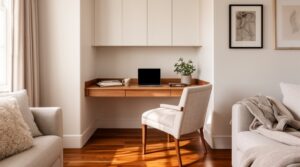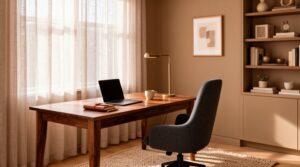
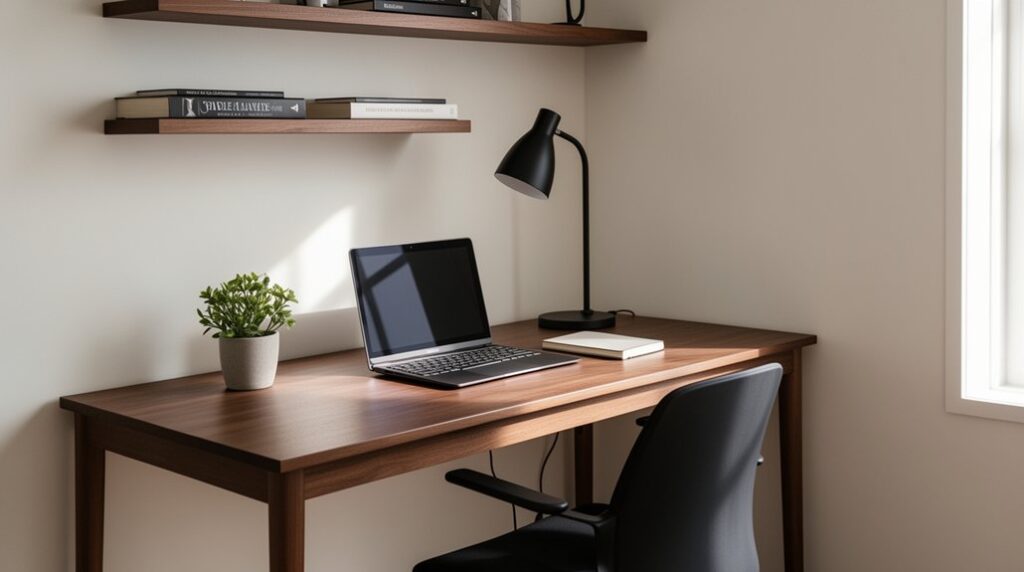
Start by measuring your footprint and sketching obstacles, then zone every surface for daily, occasional, and dispatch items so clutter can’t spread. Choose a wall, corner, or floating desk that preserves chair clearance, outlets, and clean sightlines, and pick slim furniture with open undersides and built-in grommets. Set your monitor at eye level and your seat for flat feet and relaxed shoulders. Go vertical with shelves, pegboards, and labeled, tied-down cables. Next, you’ll fine-tune lighting, color, and decor for calm impact.
Map Your Compact Workspace: Measure and Zones
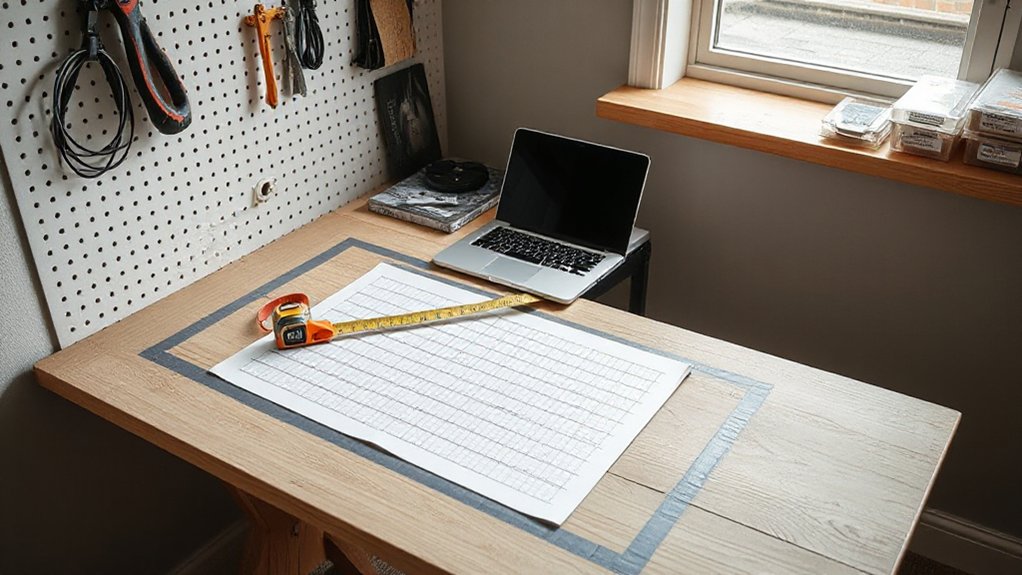
Before you buy a single organizer, map your compact workspace by measuring the usable footprint—width, depth, and vertical clearance—then sketch it to scale. Mark obstacles like outlets, baseboards, radiators, and window swing. Note task reach: what you must grab daily should sit within an arm’s arc; occasional items can live higher or deeper.
Next, define zones that match how you work: primary surface, input/tools, reference, and dispatch. Draw each zone’s boundary and assign a maximum volume so clutter can’t creep.
Choose storage solutions by zone, not by trend: vertical file height, bin depth, and cable path all need dedicated space. Finally, test color schemes on the sketch—light for expansion, darker accents to anchor edges and calm visual noise.
Choose a Layout: Wall, Corner, or Floating Desk
Now you’ll choose the desk layout that fits your measured zones: a wall desk that keeps circulation clear, a corner desk that captures unused angles, or a floating desk that frees up floor space.
You’ll plan wall placement around outlet access, chair pull-back, and sightlines so the work surface feels anchored, not cramped.
You’ll also weigh corner reach and storage against floating-desk support, mounting height, and cable routing to keep everything stable and tidy.
Wall Desk Space Planning
Where will your chair glide, your elbows rest, and your cables disappear when the desk goes in? Start by choosing a clear wall run that preserves a straight walkway and keeps the door swing unobstructed.
Center the work zone where you naturally face light without blocking a window; aim for a seated depth that won’t pinch circulation. Mark monitor height, task lamp reach, and knee clearance before you mount anything.
Plan outlets early: route cords through a grommet, raceway, or baseboard channel so the surface stays clean.
Add wall storage above the desktop for papers and peripherals, but keep the lowest shelf high enough to prevent head bumps.
Finish with restrained decorative accents that frame, not crowd, your focus.
Corner Desk Efficiency
How can a corner work harder than a straight wall run? You gain two perpendicular surfaces, so your primary zone can sit on one leg while reference materials land on the other, reducing reach and chair swivel. Keep the inner corner clear for forearms and a keyboard, then place a monitor on a riser or arm to open sightlines across both planes.
For corner organization, use a shallow hutch or stacked trays that follow the L, not deep piles that hide tools. Assign each leg a purpose: “work” and “support.” Route cables along the back edges with clips so they don’t snag knees.
Strong clutter management comes from tight boundaries—one inbox, one pen cup, and a drawer insert sized to your daily kit.
Floating Desk Considerations
A floating desk buys you a few extra inches of floor and a cleaner walking path, but it demands precise placement. Start by mapping your reach zones: keep the work surface 28–30 inches high and allow 18–24 inches of knee clearance.
Choose the wall where you won’t clip shoulders when you pull out your chair, and leave a 30-inch-wide approach lane.
For floating desk installation, locate studs or use a rated mounting rail, then confirm bracket spacing matches your desktop depth.
Plan cable routes before you mount—add a grommet and an under-desk tray to keep cords off the floor.
For floating desk durability, specify a thick top (at least 1 inch) and hardware rated beyond your heaviest load.
Pick Space-Saving Desk, Chair, and Accessories
Now you’ll fine-tune your footprint by choosing a slim desk that hugs the wall or tucks into your corner without stealing knee space.
You’ll pair it with an ergonomic chair that slides in cleanly, supports your posture, and keeps pathways clear.
Then you’ll add compact accessories—monitor risers, vertical file holders, and clip-on lighting—so essentials stay within arm’s reach while surfaces stay open.
Choose A Slim Desk
Where does your workstation need to live—tucked into a corner, floated along a narrow wall, or slid beside a bed? Start by measuring the run, outlet locations, and door swing, then choose a slim desk that fits with clearance to pass comfortably.
Look for a 16–20 inch depth, a narrow trestle or cantilevered base, and an open underside that keeps the footprint visually light. Prioritize built-in cable grommets and a shallow drawer to prevent surface clutter.
Match the desk to your Minimalist design goals by selecting simple lines and durable finishes. Use coordinated color schemes—light oak, matte white, or charcoal—to echo nearby walls and trim, making the workspace feel integrated, not added on.
Keep accessories low-profile and stackable.
Select An Ergonomic Chair
How much floor space can you spare once you’ve pushed in and pulled out your chair a few times? Measure that travel path first, then choose a chair that fits it without forcing you to angle sideways. A compact footprint matters, but you shouldn’t sacrifice Ergonomic design: prioritize adjustable seat height, lumbar support, and a backrest that lets you sit upright without creeping forward.
Pick armrests that slide down or in so they don’t collide with your desk edges. For tight layouts, select a chair with a narrow base and smooth casters that track straight, reducing drift into walkways.
Aim for comfort optimization by matching seat depth to your thighs and keeping your feet flat, so long sessions don’t expand your “needed” space.
Add Compact Accessories
After you’ve locked in your chair’s travel path, you can reclaim inches by choosing compact accessories that stay inside that footprint. Start with a shallow desk (18–22 inches deep) or a wall-mounted surface so your knees clear and your reach stays tight.
Pick a monitor arm that clamps to the back edge, then tuck the keyboard on a slim tray or keep it on a narrow mat that defines your work zone.
Add ergonomic accessories that stack vertically: a laptop riser, a small footrest, and a clip-on task light.
Use a rolling file cube that nests under the desk, not beside it.
Finish with decorative accents that don’t sprawl—one framed print and a low-profile planter.
Dial In Compact Workspace Ergonomics (Screen, Seat, Posture)
Even in a tight footprint, you can set up ergonomics that feel roomy by locking in three anchors: screen height, seat fit, and posture support. Start with an adjustable monitor: center it directly in front of you, raise the top edge to eye level, and keep it an arm’s length away so your neck stays neutral. Angle it slightly back to cut glare without leaning in.
Next, choose ergonomic seating that fits your body and the desk’s depth. Set seat height so your feet plant flat and your knees sit near 90 degrees. Slide back until your lumbar curve feels supported. Keep elbows close to your sides, forearms parallel to the desk, and shoulders relaxed.
If anything forces you to reach, move it closer.
Go Vertical: Shelves, Pegboards, and Cable Control
When your desktop runs out of real estate, shift storage and organization up the wall to keep the work zone clear. Start with a shallow shelf above monitor height for reference books and bins, leaving elbow room below.
Add a pegboard at arm’s reach for headphones, scissors, and charging bricks, and outline zones so tools return to the same spot. Use vertical organization to separate daily-use items from occasional supplies, placing heavier loads over studs and lighter pieces on hooks.
For cable management, mount a power strip under the desk, route cords up the rear leg, and clip them along the underside and wall. Label each lead, shorten slack with Velcro ties, and keep one accessible charging loop.
Lighting and Decor That Keep a Small Space Calm
Clear walls and tidy cables set the stage; now use light and a restrained layer of decor to keep the workspace feeling open instead of packed. Prioritize natural lighting by placing your desk perpendicular to the window, so glare stays off your screen while daylight washes the room evenly.
Add a slim task lamp with a warm, dimmable bulb to define your work zone without brightening every corner.
Keep your soothing color palette tight: soft whites, muted clay, or cool gray on large surfaces, with one accent tone on a notebook or chair pad.
Choose decor that earns its footprint—one small plant, one framed print, and a shallow tray for daily tools. Leave negative space on the wall to let your eyes rest.
Frequently Asked Questions
How Can I Soundproof a Compact Workspace for Frequent Video Calls?
Use Soundproofing materials like door seals and a thick rug; add Acoustic panels behind your monitor and on side walls. You’ll reduce echo, block leaks, and keep your voice clear on frequent video calls.
What’s the Best Way to Manage Heat Buildup From a Laptop in Tight Spaces?
Lift your laptop like a small sun on a stand—give it air. Add a USB fan, keep vents clear, tidy cable management for airflow, and pair ergonomic seating so heat doesn’t pool in your lap.
How Do I Design a Small Workspace That Hides Completely After Work?
You’ll design it with a fold-down wall desk, sliding panels, and a storage ottoman so everything tucks away. Choose ergonomic furniture that nests, and color schemes matching surrounding walls for seamless, invisible closure.
Which Plants Thrive in Compact Workspaces With Minimal Natural Light?
Like a quiet understory, you’ll succeed with pothos, ZZ plant, and snake plant; add low light ferns in a shelf corner. For succulent selection, choose haworthia near your desk lamp, watering sparingly.
How Can I Create a Compact Workspace That’s Safe for Kids and Pets?
Anchor furniture to walls, route cords through raceways, and choose ergonomic furniture with rounded edges. Use closed, latched storage solutions up high, add a pet gate, and keep cleaners locked away.
Conclusion
When you design small, every inch has to earn its keep. You’ve mapped zones, chosen a wall/corner/floating layout, and picked compact pieces that support your posture. Now push upward: shelves, pegboards, and hidden cable runs keep the desktop clear and your mind calm. Example: in a 5′ x 7′ nook, you mount a 42″ floating desk, add a slim task chair, hang two shelves above, and light it with a plug-in sconce.